Catalogue without a photoshoot: how fashion sellers create product images with AI
By The VastraHQ Team · Updated
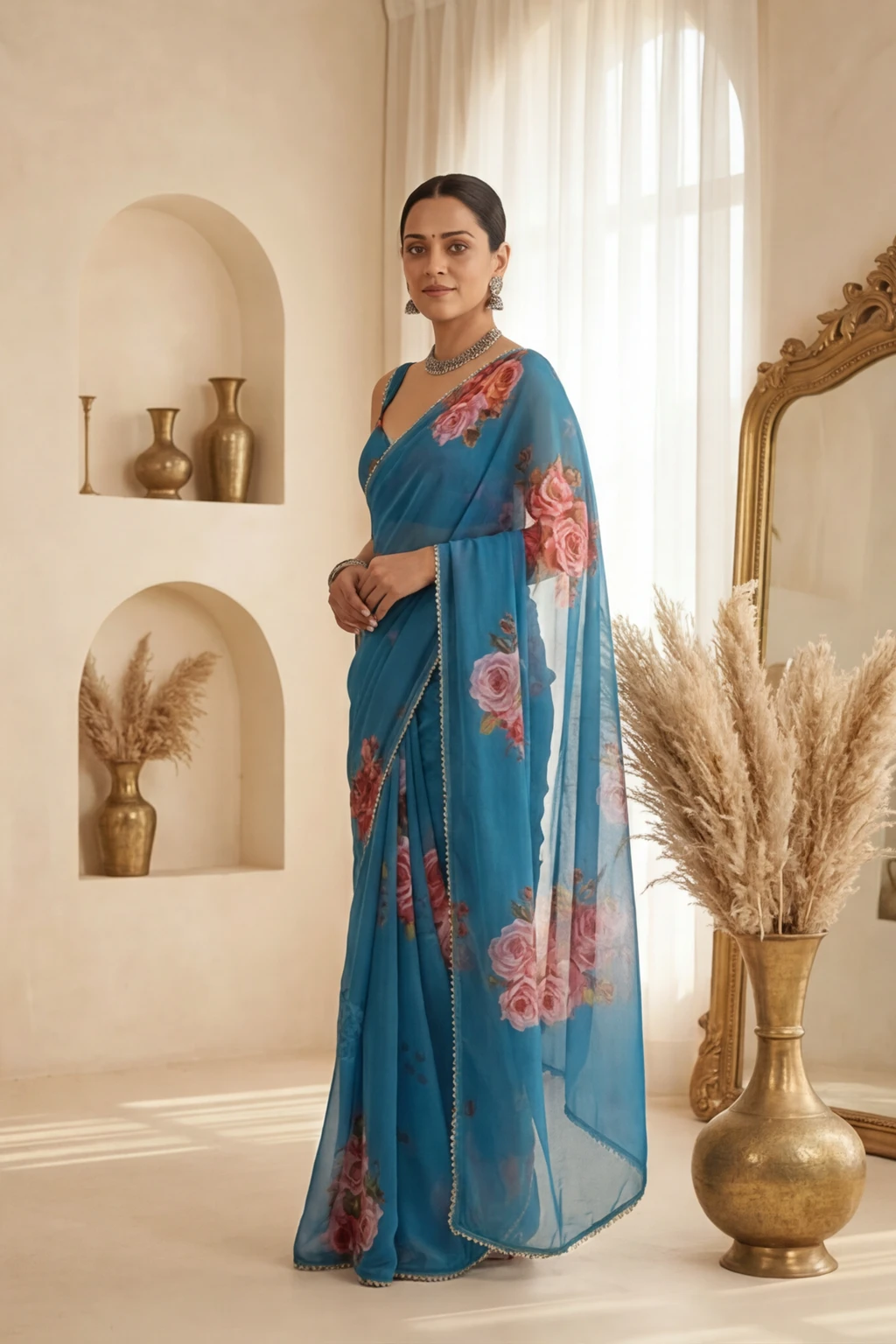
You can build a full product catalogue from one photo of the garment: upload it, choose a model and a location, and VastraHQ generates the model shots, the catalogue angles and a reel. No studio booking, no model call sheet, and no waiting on an editor before you can list the piece.
If you sell clothing in India, ethnic or Western — from a boutique, under your own label or from home — you know the bottleneck without needing it explained. The pieces arrive, they look beautiful on the rack, and then they sit there — because listing them means a shoot, and a shoot means a studio, a model, a photographer, a date everyone can agree on, and a week of editing afterwards. By the time the images land, the season has moved on.
An AI catalogue removes the shoot from that sequence. You photograph the garment itself — flat, on a hanger, or on a mannequin — and the model shots and catalogue angles are generated from that one photo. This guide walks through what that actually looks like in practice: what to photograph, what you get back, where those images go, and what it costs.
What "a catalogue without a photoshoot" actually means
It means the garment is the only thing that has to be physically present. Everything that usually surrounds a shoot — booking a studio, casting a model, hair and make-up, a draping assistant, the photographer, the editing queue — is replaced by choices you make on a screen in a few minutes.
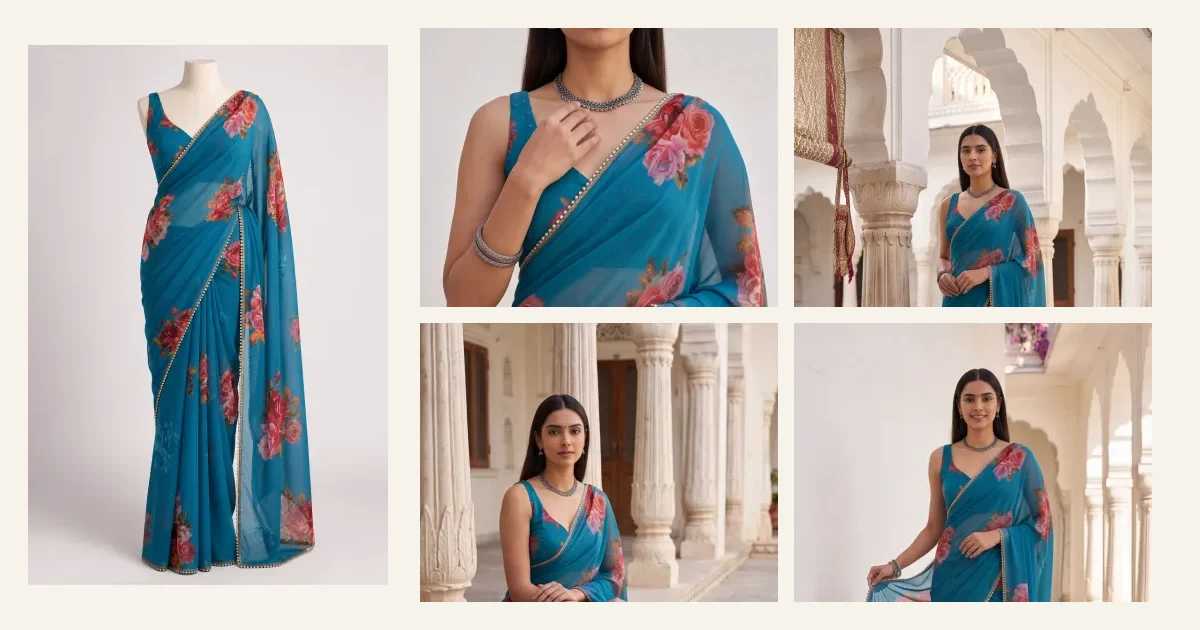
What you get back is the set a listing actually needs: your piece shown on a model, and the catalogue angles a buyer scrolls through before she decides. The hero image at the top of this page shows that set for one saree — the photo on a mannequin, and the four catalogue images generated from it.
What you need before you start
Almost nothing, which is the point. One good photo of the garment does most of the work, and a phone camera is enough if the light is on your side.
- The whole garment in frame — hem to shoulder, nothing cropped out of the picture.
- Even, natural light. Beside a window in the morning beats a tube light overhead.
- A plain background where you can manage it. A bedsheet on a table is fine.
- The work visible — zari, border, print or embroidery not folded under or hidden by a hanger clip.
- The true colour. If the photo reads far bluer or warmer than the piece in your hand, retake it in different light.
That last point earns the most attention for the least effort. Colour is the single thing a buyer complains about most often when a piece arrives, so the closer your source photo sits to the real fabric, the less you will find yourself explaining afterwards.
The angles a listing actually needs
A shopper deciding on a piece is answering specific questions, and each photo answers one. Your model look already shows the outfit from the front, full length, so a VastraHQ catalogue spends its four photos on the rest.
| Pose | The question it answers |
|---|---|
| Close-up | What do the fabric, the work and the neckline look like up close? |
| 3/4 | How does the outfit fall when she turns? |
| Sitting | How does it drape when she sits? |
| One more, picked for the outfit | Flare shows how a lehenga or anarkali opens out, Pallu shows a saree’s pallu, and 3/4 Left gives a kurta or suit its other side. If you added a photo of the back, this one is a Back View |
You can swap any of the four for another pose from the list, such as Front, Side Profile or Half-length, or ask for eight photos instead of four. Each catalogue photo is one credit.
The back is the view that quietly costs sales on blouses and cholis: if a buyer cannot see the back, she assumes the worst about it. Add a photo of the back before your first catalogue or reel, and the fourth pose becomes a Back View made with that photo as its reference. Without one you can still pick Back View in the pose list; it is drawn from your front photo.
Where these images go
The images come back as ordinary files, so they go wherever you already list. In practice that is four places for most sellers.
- Your Instagram feed and stories, where the model shots do most of the selling.
- A WhatsApp catalogue, which is still where a great many Indian sellers actually close the sale.
- Marketplace listings — check each marketplace’s own rules, since some ask for a particular background or aspect ratio.
- Your own website or storefront, where the full angle set replaces a single hopeful photo.
A reel comes out of the same upload, which matters more than it used to: a still image and a short vertical video reach different people on the same platform, and making the second one used to mean a separate shoot day.
For the everyday work — the forty pieces that arrived this month and need to be listed before the festive rush — the shoot was never the interesting part, and it is the part an AI catalogue takes out.
What it costs, and where to look next
A traditional shoot in India carries studio, model, glam, photographer and editing costs, and we have broken those numbers down separately in the cost of a fashion photoshoot in India. VastraHQ works on credits instead: one for a model look and one for each catalogue photo. Packs start at ₹999 for 70 credits, which covers 14 outfits with a model look and four catalogue photos each, about ₹71 an outfit. A reel is priced on top, by the second, and every rate is on the pricing page.
And if the reel matters as much as the images — most sellers find it does on Instagram — the same upload produces one. AI reels for Indian fashion shows what those look like across five garment types.
Your first photoshoot is free. No payment needed to sign up. Free outputs carry a VastraHQ watermark until your first purchase.
Frequently asked questions
- Can I make a product catalogue without a photoshoot?
- Yes. An AI catalogue is built from a photo of the garment itself, so there is no studio, model or shoot day involved. You upload the piece, choose how it should be shown, and the model shots and catalogue angles are generated for you.
- What kind of garment photo do I need to start?
- One clear, well-lit photo of the piece — flat on a table, on a hanger, or on a mannequin. Daylight near a window works well. The whole garment should be in frame, with the fabric and border visible and nothing covering the work.
- How many images do I get for one garment?
- Four catalogue photos by default: a Close-up, a 3/4, a Sitting pose and one more picked for the outfit, such as Flare for a lehenga or Pallu for a saree, or a Back View if you added a photo of the back. You can swap any of the four for another pose, or ask for eight. Each photo is one credit, and the model look they are made from is one more.
- Can I use these images on Meesho, Amazon or my own website?
- Yes. The images come out as standard files you can upload anywhere you list — your own site, a marketplace listing, WhatsApp catalogues or Instagram. Check each marketplace’s own image rules, since some ask for a specific background or aspect ratio.